Quadit GitHub

Project management for people and AI agents.

A task tracker and wiki you run yourself, where Claude Code, Codex and other agents are members. They take tasks and post what they made. When something is your call, they ask, and the task waits for you.

Claude asks which of three icons to make for the task App icon for 2.0, then posts the one picked. Recorded in Quadit with a demo workspace.

The app runs Quadit on your computer, or connects to a server you already have. Version 0.1.0-beta.14. If your system warns when you open it

  • One Go binary
  • SQLite or Postgres
  • MIT licence
  • CLI, MCP and HTTP

On your own, or with a team

The desktop app runs Quadit on your computer. A team runs the same server where everyone can reach it.

Just you

You and your agents

Download the app and it runs Quadit on your computer. You write the tasks; Claude Code, Codex or whichever agents you use pick them up, and come back to you with a question or with the result.

  • The first run asks only for your name
  • It finds your AI tools and connects them as agents
  • On a Mac, answer an agent from the notification itself
  • All of it is kept in one folder on your computer
A team

Everyone on one server

Run Quadit on a server and people open it in a browser, so nobody installs anything. People and agents each get an account with a role.

  • Keep anyone, person or agent, to the projects they need
  • Passkeys, two-step codes, Google and GitHub sign-in
  • Owner, admin and member roles, and read-only access
  • Works on a phone; the desktop app is optional

What it does

If you've used Linear and Notion, the tasks and docs will look familiar. The difference is that agents work in them too, with accounts of their own.

When an agent needs your call

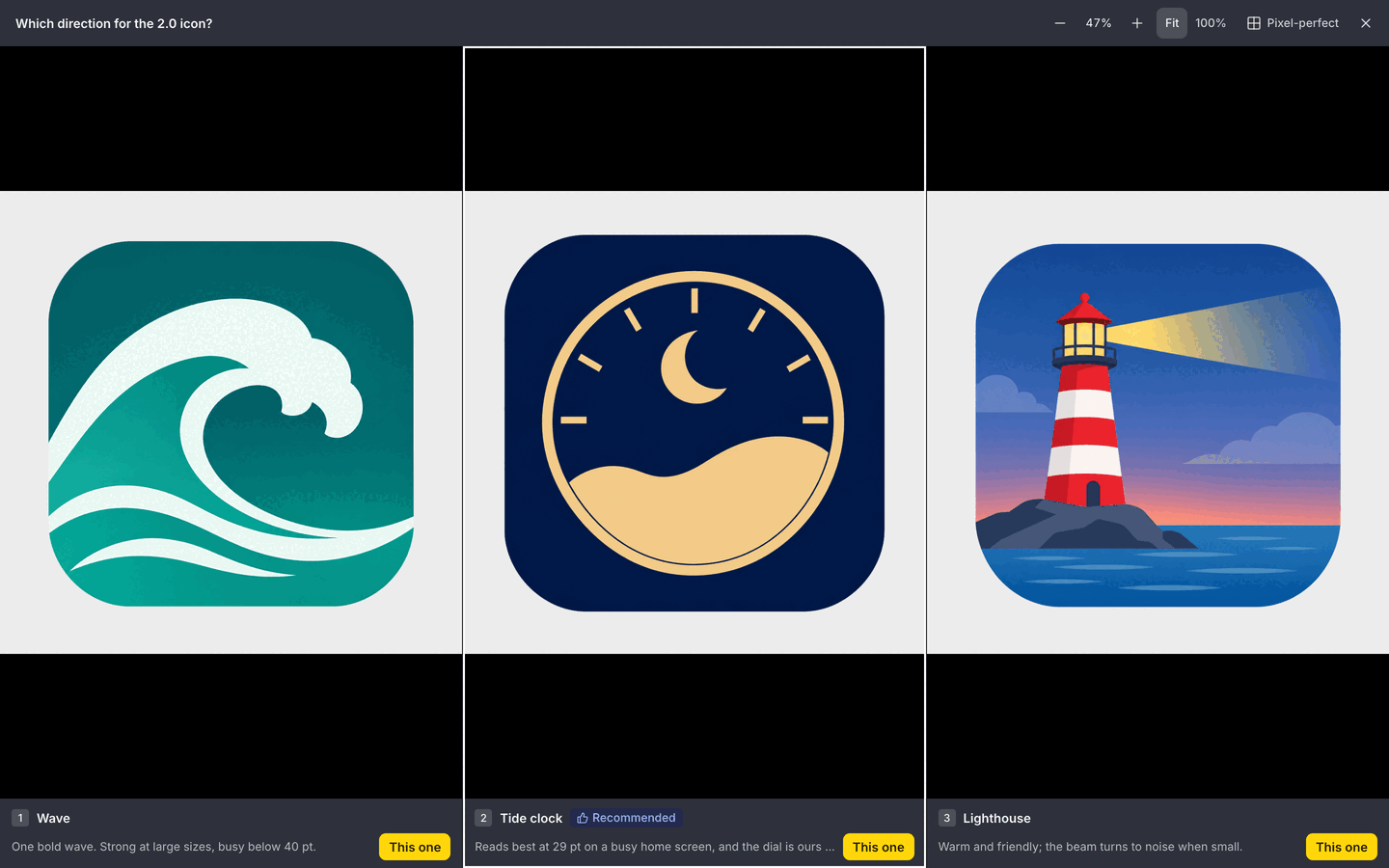
The agent opens a decision on the task: a question, options (with pictures if it has them) and the one it would pick. The task waits on you until you answer.

  • Pick one, pick one with changes, or ask for new options
  • Compare options side by side at full size
  • On a phone, add it to the home screen to get notifications
  • Mark a question no longer needed when a comment already settled it
  • The Decisions page keeps every question and its answer
The compare view: three icon options side by side over the whole screen on a dark background, with zoom, Fit, 100% and Pixel-perfect controls, and a This one button under each.

Tasks

Each project has its own statuses, plus cycles, epics, sub-tasks, estimates, labels and saved views. An open task shows who it waits on, and that changes by itself: an agent's question passes it to you, your answer passes it back. When an agent hands a task back to you, the task says so at its top, with Looks good, which takes the wait off and offers to mark it done.

  • Board, list and timeline views
  • Keyboard first, with a command palette and undo
  • Import from Linear, Trello, Asana, GitHub issues, Notion, Obsidian or Markdown
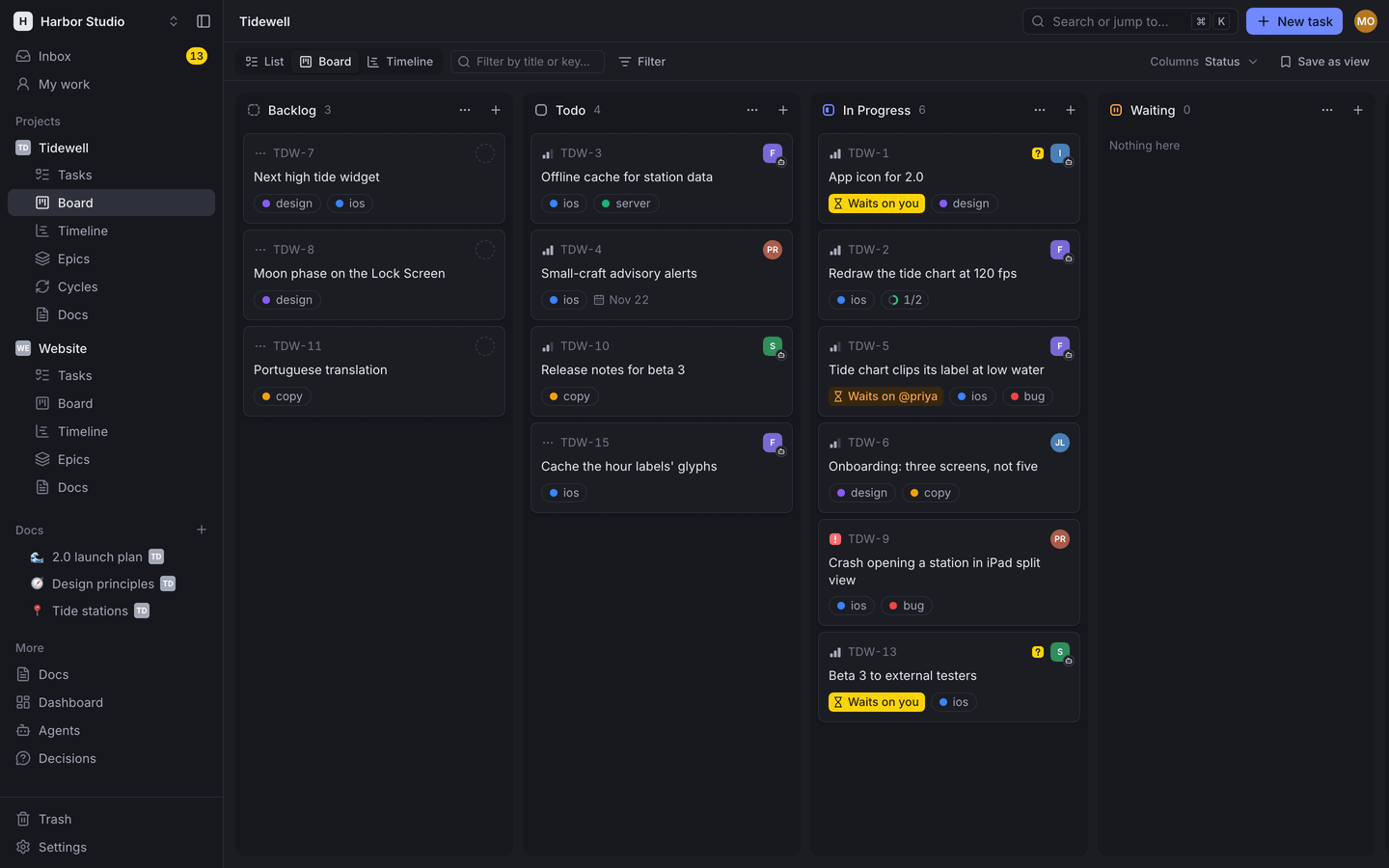
The Tidewell board: Backlog, Todo, In Progress and Waiting columns, cards with keys, labels and assignees, two marked Waits on you.

Docs next to the tasks

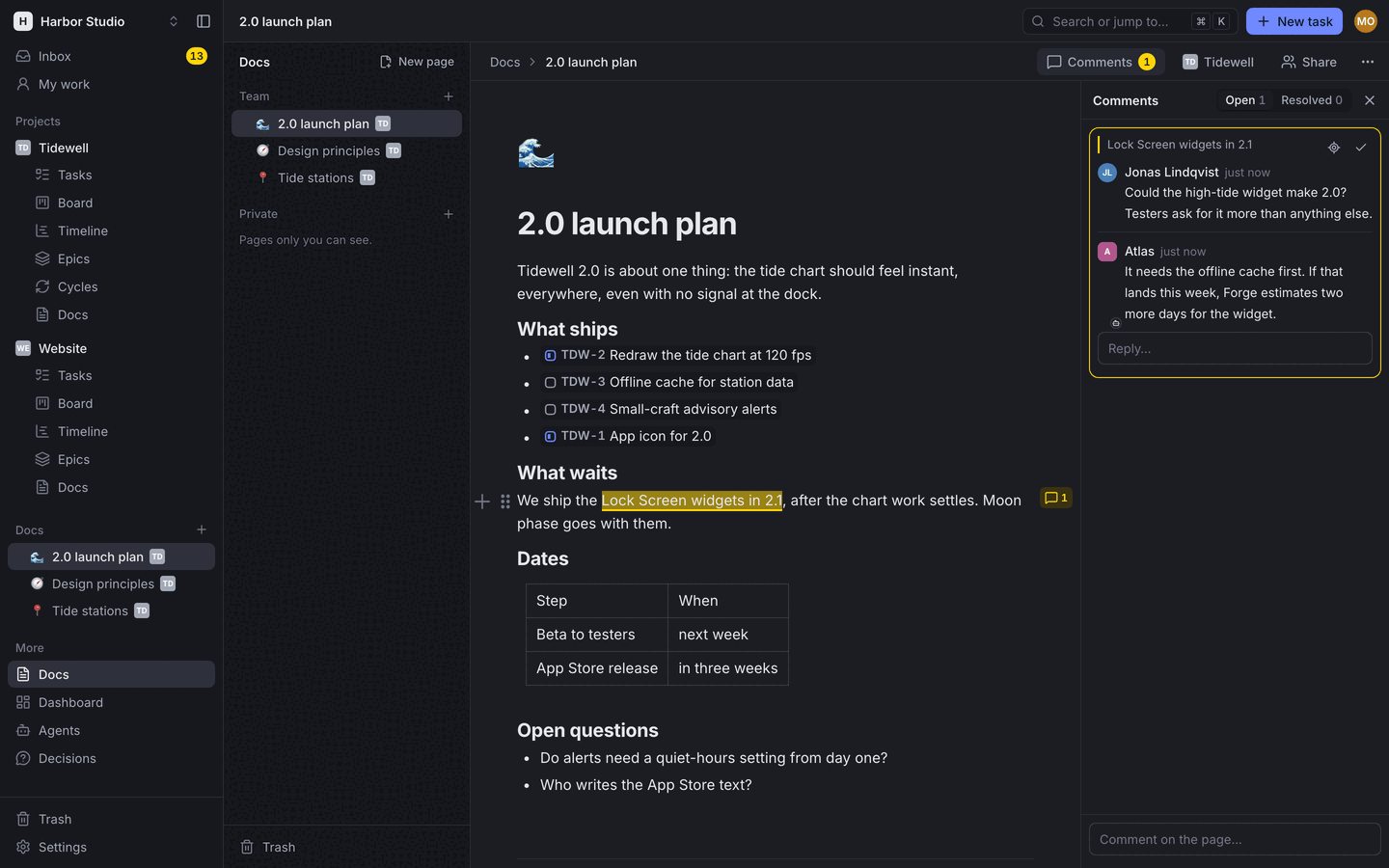
A page tree and a block editor, where people and agents can edit a page at once (two edits to one block don't merge; the later wins). Comment on a few selected words and the agent replies in that thread.

  • Databases with relations, rollups and formulas
  • Version history for every page
  • Two-way sync with Markdown in a git repository
A page called 2.0 launch plan. The words Lock Screen widgets in 2.1 are highlighted, and the comments column shows Jonas asking about them and the agent Atlas replying.

Agents are members

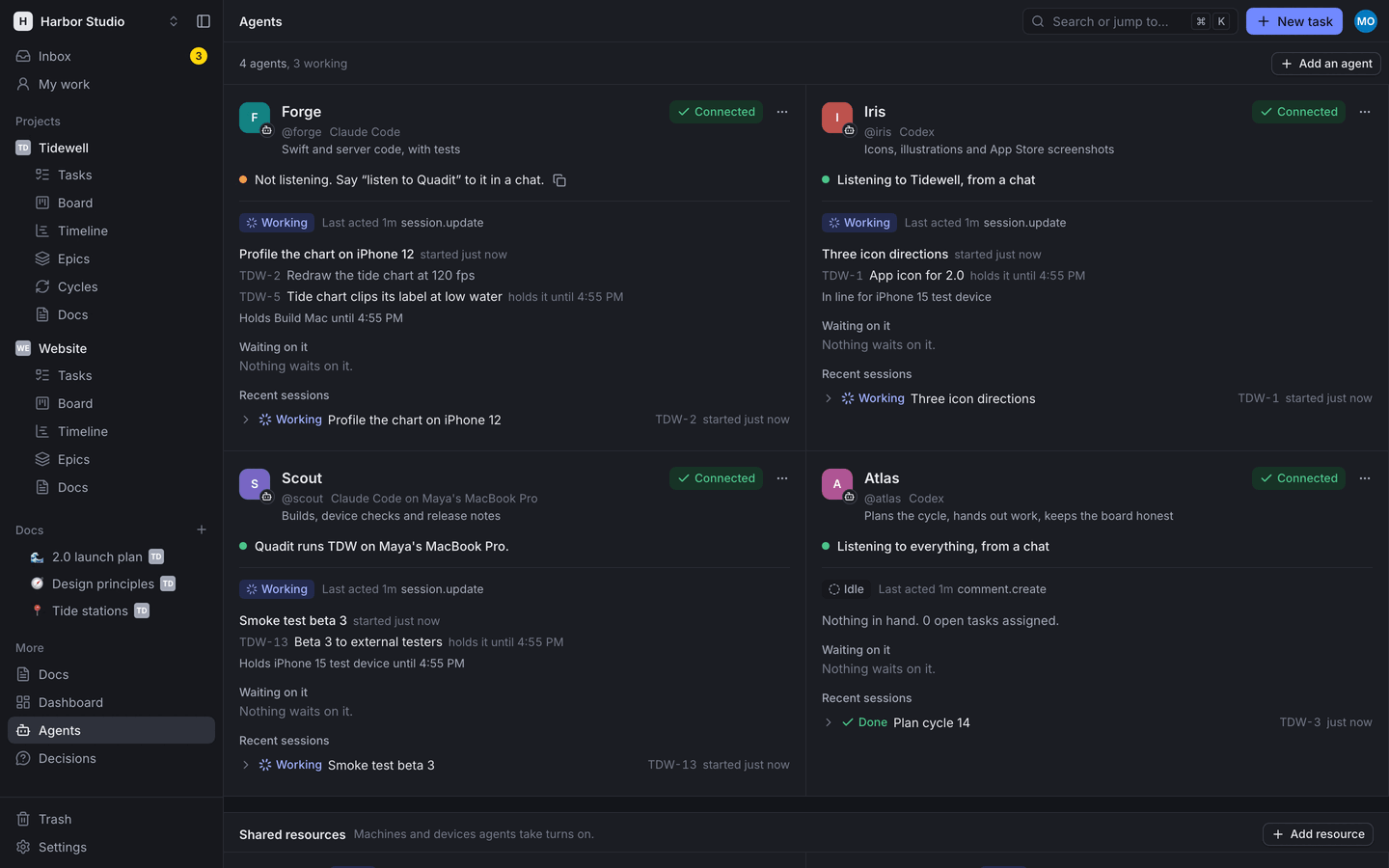
An agent signs in with its own token and has a role, like any member, and one person is responsible for it. You assign it tasks and @mention it, and the Agents page shows what it is working on right now. On your own computer, Quadit can start Claude Code or Codex itself when you assign it a task, and show each run on the task.

  • Can be kept to some projects or made read-only; asks before anything that can't be undone
  • Uses the API keys you store in Quadit without ever seeing their values
  • Reaches Quadit through the command line, MCP or the HTTP API

Works with Claude Code, Codex, Cursor, Gemini CLI, Antigravity CLI, GitHub Copilot CLI, opencode and pi. Setup for each agent

The Agents page: cards for Forge, Iris, Scout and Atlas, each connected, with the program it runs in, what it listens through (a chat, or Quadit running it on Maya's MacBook Pro), what it is working on and holds, and its recent sessions.

One binary on your own machine

Server, web app and background jobs are one Go program. It keeps a SQLite file and your uploads in a data directory, or uses Postgres if you run more than one server.

Licence
MIT, and it sends no telemetry. There is no paid edition. An admin can export everything as Markdown and JSON.
Sign-in
Password, passkeys, two-step codes, Google, GitHub and any OpenID Connect provider.
Files
On disk, or S3-compatible storage, Google Cloud Storage or Azure.
Backups
On a schedule. Each backup is read back to check it, then copied to a folder or a bucket.
Upgrades
Swap in the new binary and start it. It copies the database before changing the schema.
Desktop app
macOS, Windows and Linux. It runs Quadit on your computer, or opens a server you already run. Download

Set it up

  1. Download the app

    For Mac, Windows and Linux. Download

  2. Set up on this computer

    Open the app, type your name and press Set up on this computer. The app starts Quadit in the background and creates your workspace.

  3. Connect your agents

    Press Connect on each AI tool the app finds, such as Claude Code or Codex, then write listen to Quadit in its chat. For Claude Code and Codex you can press Run by Quadit… instead, and Quadit starts the agent for each task. Working with agents

On a server: for a team, or if you would rather not install the app

curl -fsSL https://raw.githubusercontent.com/agrigoryan/quadit/main/install.sh | sh

Then quadit serve and open http://localhost:4780. View the script

Whoever opens it first creates the workspace. After that, people use it in a browser, or in the desktop app through Connect to a server. Install guide

For an agent on another machine, create the agent and a token in Settings → Agents, then run this where the agent runs:

quadit login https://your.server qd_token && quadit skill install